Five Free Video Editing Tools
There was a time when video editing was only available to the lucky few.
It used to require expensive desktop machines, complex software, and an expert-level knowledge of the editing process.
As you’re probably aware, things have changed drastically in recent years. Tools have become user friendly, powerful and cheap – and users can edit videos portably, only requiring a mid-range laptop computer.
There are even simple tools available on smartphones for chopping and changing the videos you take on the move.
Most promisingly, there are several excellent free video editing tools in the mainstream.
We’ll take a look at five of them here and give you the lowdown.
Windows Movie Maker 2012
 Microsoft’s entry into the free video editing space does a pretty good job overall. The editing is very easy to perform, and computer novices should get the hang of it fairly quickly.
Movie Maker supports plenty of different video formats, and users can save the video in file format or upload it directly to sharing sites such as Facebook or Youtube.
It’s not particularly sophisticated, and advanced users may want a tool with a little more scope. However, it’s a solid piece of software that does what it’s built for, and does it well.
https://windows.microsoft.com/en-us/windows/get-movie-maker-download
VSDC Video Editor
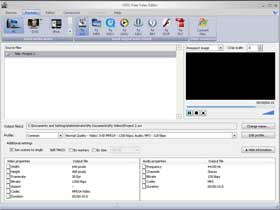 VSDC is a non-linear video editor. So what does that mean for you, the budding producer?
Well, non-linear editors allow you to see all frames simultaneously, without needing to scrub through to edit.
Frames can be accessed directly by their position in time or even by descriptive metadata – so for example, an editor could access all frames in which a certain character makes an appearance ( if he’s included in the metadata).
The added functionality and flexibility of non-linear editing does bring a fairly steep learning curve, and VDSC lives up to that. However, it’s a powerful editor, packed with plenty of features to help you produce a high quality final video.
https://vsdc-free-video-editor.software.informer.com/
Wax
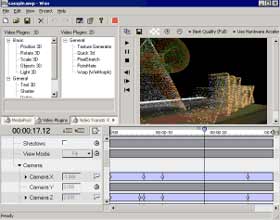 If you’re after special effects, Wax is the tool for you. It’s a piece of general purpose 2D and 3D effects software. Wax’s particle effects, picture warps and a wide range of rendering options let you transform your video into something spectacular.
Conveniently, Wax is available in two forms. Home users seeking to add effects to a video can download the standalone application, and do just fine with that.
Professional users generally have their own preferred choice of editor, and for that market, Wax is available as a plug-in that enables special effects in the editor’s tool of choice.
https://www.debugmode.com/wax/
Freemake Video Converter
 This is the tool for you if you need to convert video files from one format to another.
As you’d hope, Freemaker supports a very wide range of formats. It’s also extremely reliable, keeping loss of data or image quality to an absolute minimum.
It’s relatively quick, too – video conversion will always take time, but Freemake does seem to perform efficiently.
It also allows for some simple editing, although most users would do well to choose one of the other more fully-featured editors from this list.
https://www.freemake.com/free_video_converter/
Lightworks
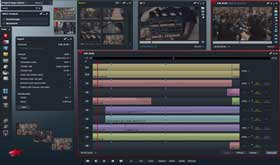 Lightworks is the heavyweight of the free video editing tools currently available.
It’s absolutely full of features – it has unprecedented trimming ability, synchronisation and support for multiple-camera editing, along with powerful realtime effect rendering. It also lays claim to the widest range of video formats supported by a professional editing tool.
It’s so powerful in fact, that it’s been used by professionals to edit many successful modern films.
Lightworks really packs a punch, so if you’re looking to get your teeth into professional-level video editing software, it’s probably the tool to go with.
So, there you have it – five free video editing tools that you can download today and start chopping your footage with. Choose the one that best suits your needs, and get to work producing your finished masterpiece.
https://www.lwks.com/