How To Make The Most Of Twitter Lists
Using Twitter is pretty simple, all things considered.
But because of the nature of its live update system, things can get pretty out of hand.
Going through your friend’s tweets becomes more overwhelming the more friends you have.
When you add in the celebrities or brand pages you might be following, not to mention the frequency in which people update, and you have a real problem.
That is why you need Twitter lists…to keep your sanity intact.
What Are Twitter Lists
Twitter lists are simply groupings of your different friend categories. By creating lists, you can isolate different people into tabs that you can view on their own. This cuts down the amount of tweets you have to go through, while also making it simpler to post only to certain groups at a time. Which affords you a bit of privacy and control over your content.
Twitter lists are quite similar to Facebook lists or Google Plus Circles, but there are also differences.
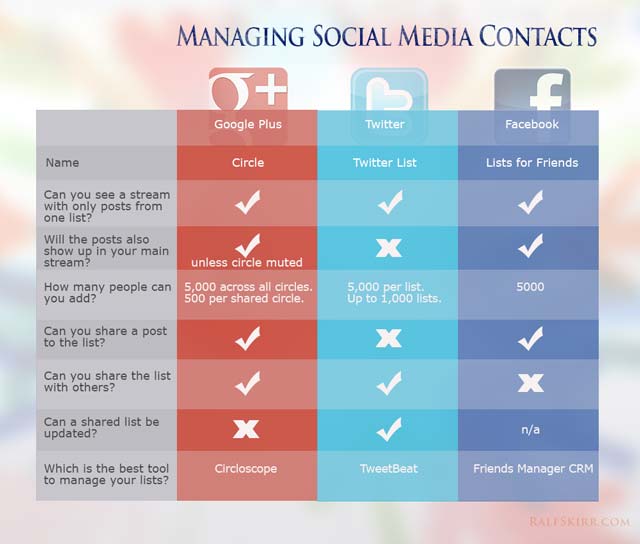
How To Make Twitter Lists
Under your Settings menu on your profile, as well as in the sidebar on the left, you will see one entry titled Lists. This is where everything for both managing and viewing lists is located. While there, you will see the Create Lists button. Click it, and you will get a dialogue box on your screen that gives you the ability to name the list, give it an option description, and make it either private or public.
If your list is private, no one else will be able to see details about it. But if it is public, others can view the list from your profile. What is cool about that is that you can tweet directly to anyone following certain public lists, which makes it easier to compartmentalize your statuses based on subgroup.

Go Beyond Friends and Family
Most people tend to create simple lists, like friends, family, coworkers, acquaintances, ect. Which is fine, but there are many more applications to think about. Using examples from my own profiles, I have literally dozens of lists made. Some of those categories include:
- Extended Family
- College Friends
- Close Friends
- Internet Friends
- Blog Followers
- Blogs I Follow
- Networking
- Celebrities
- Brands
- News
- Entertainment
- Free Stuff and Discounts
- Weird
You can make a list for just about anything, and I do. That may seem weird, but the first time you realize how simple it makes navigating your list, you will be hooked.
Twitter Lists To Follow
Now that you know how to follow Twitter lists, why not start following some of the other lists that are already popular? Various accounts have put together some great ones, and you can keep up with the press of a button.
 Verified Accounts has helpfully assembled the accounts of sixty-six (at the time of this writing) world leaders who are currently on Twitter from around the globe. They include Ghana President John Dramani Mahama, EU Commission President Jose Manuel Barroso, US President Barack Obama, Russian Prime Minister Dmitry Medvedev, and many more. Keep up with what some of the most powerful representatives in the world are doing and saying, from all positions.
What makes this such a great list is that it doesn’t just include politicians, but also public servants in higher ranges of power.
- Top 50 Funny
Feel like a bit of a chuckle today? Favstar has compiled a list of accounts that frequently post funny tweets for you to enjoy. The style of humor is all over the spectrum, and include many novelty accounts like Weed Humor, Pimp B Clinton, and the official accounts by brands, celebrities, and more.
Not everything there is for everyone, but the variety is what makes it such a great list.
- World News Brands
If you want good lists, Robert Scoble has created a ton of them. But this one is my personal favorite, a collection of news sources that is way more extensive than my own personal one. He has 200 media sources listed, and if you want a real look at news around the world, including localized to different regions, this is the perfect follow for you.
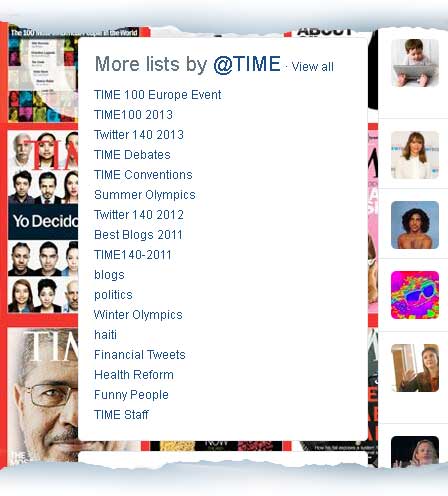
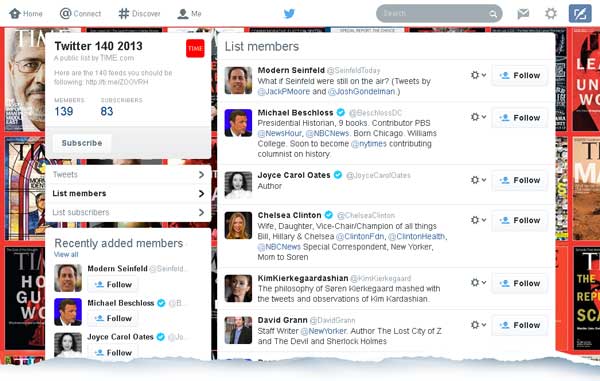
- TIME Twitter 140 2013
TIME Magazine releases a list of the most influential Twitter accounts every year. This is the most recent, giving us a peak back over what Twitter users were really shaking things up over the past twelve months. It is worth following the 2011 and 2012 lists, too.
Have any lists you think we should be following? Maybe you want to talk about your own? Let us know in the comments.
By Jessy Troy
Jessy Troy is the social media junkie and stay-at-home mom who earns her living online. You can see me tweet as @JessyTroy